I really need to watch this. Thing is, that’s yet another streaming TV subscription and it’s starting to get expensive.
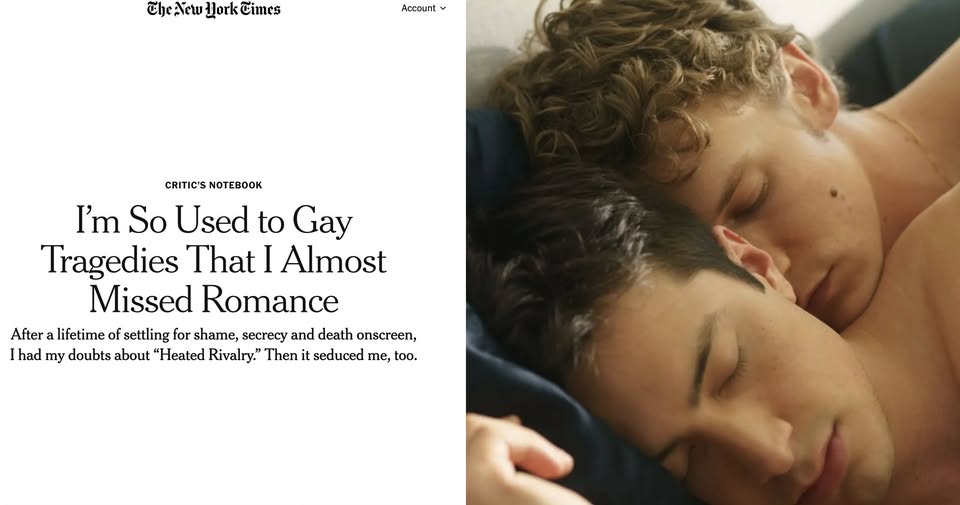
But I understand where this writer, and all the fans of Heated Rivalry are coming from. If I hadn’t had the novels I had available to young adult me, even back in the early 1970s, I’d have missed stories of gay love and romance too. And one thing I did learn from that period was to never trust what Hollywood put out there about us. Vito Russo explained why that was better than I ever could in his book, “The Celluloid Closet”.
The written word was my salvation all through my growing up years, but especially during my young gay adult time. I’ve found it interesting that almost all my favorite novels of gay love and romance were written by women. And now, late in my life, I have web comics and manga written and drawn by women. There are a few gay male authors whose books and comics I’ve come to enjoy deeply, but those all seem to have been one-offs. It’s the stories of gay love and romance by female authors that have hit me deeply so consistently. I suspect that’s because the ability to bond deeply with other males is bullied out of boys at a young age in our culture. The movie Close (2022 Belgium), speaks to that in a powerful and heart breaking way.
So that this story originates from a novel by a women is something I pretty much knew even before I knew it. However difficult the growing up is that women in this culture face, it seems they generally come out of it still believing in love. Gay guys in particular, just seem to not. And we just accept that. We need to stop accepting that. Or rather, those of us who feel that belief as a deep dark childish secret need to get loud and proud.
One of the marvels of “Heated Rivalry” is its de-emphasis of tragedy. It hails from the world of the romance novel, where gay plots aren’t novel at all. (Rachel Reid, its author, has written a slew of these books.) As a screen event, however, one that dares to exponentially deepen the worlds Reid dreamed up, the show constitutes a revelation that I forgot I needed, a revelation that maybe I had assumed I was too good or maybe too cool for: a work of utter ardor.
No one’s too cool to say anything on “Heated Rivalry.” There’s no subtext in play. Ilya and Shane (Connor Storrie and Hudson Williams) meet during their rookie years and spend years trying not to fall in love. When they fail, the question becomes how to tell everybody that their relationship has been going on for as long as it has. The last shot of the final episode puts the camera in the back seat of a car as these two drive out of the closet. It was like watching Danny and Sandy achieve liftoff at the end of “Grease.”
…..
Let’s not enumerate every single lusty, tear-jerking, demented box-office bummer. But let’s also never fail to remember that for a long time Brokeback Mountain (2005) sufficed as a dictionary definition of “gay love story.” I mean, Jack Twist gets beaten to death and, in the final shot, Ennis Del Mar stands in a trailer all by his lonesome, his shirt wearing Jack’s. In a closet. His ambiguous declaration of devotion (“Jack, I swear …”) is uttered too late.
And don’t even get me started on Call Me By Your Name.
I have another Disney trip coming soon…a week at Saratoga Springs, which I now truly regret buying back into DVC for. The math doesn’t work anymore for it. I just got dumped a thousand dollar dues fee and it wasn’t that long ago that my Boardwalk and Grand Floridian dues combined were less than 500. I don’t see how this is saving me any money staying at a DVC resort…but then Everybody is complaining now about the cost of going to the Disney parks. Except of course the very rich. I guess it’s their world now. But you warned me about this didn’t you.
Anyway…
I have another Disney trip coming next week, and so of course I’m thinking of you. I wish we were still talking. There is so much I’d like to ask you, and to know, about your thoughts on our current political disaster. I worry about you getting into it with ICE. I worry about you and another classmate, whose older brother you apparently knew back in Woodward, a lot lately. I wish I could talk all this out with you. You and I were on the same page about so much.
I replay some of our last conversations in my head over and over, wishing I’d handled them better. Like when you told me it won’t be all the people I ever had sex with I’ll be thinking about on my deathbed, but all the people I love. I was just so awestruck with the fact that you were giving me this heartfelt, deep conversation, when most of the time our chats were about current events or Disney stuff, that I wasn’t paying attention to what you were saying, so much as that you were saying it. I felt wonderful. But I missed an opportunity to make myself clear.
It was like you were saying the Venn Diagram of those two things…people you’ve had sex with, versus people you love…didn’t touch. That’s…not necessarily true. In fact I would say it’s almost never true. I should have said then that remembering the times I was laying down with the one I was deeply in love with would be the best ever last memory before the end. I should have told you that all I ever wanted out of life was that wholeness, that body and soul connection. I should have told you I never wanted to lay down with anyone I wasn’t at least crushing on, if not madly in love with. That I knew there are people who don’t want or don’t seem to need that connection to just enjoy a tumble in the sheets, but that isn’t me, and never was, even back in high school.
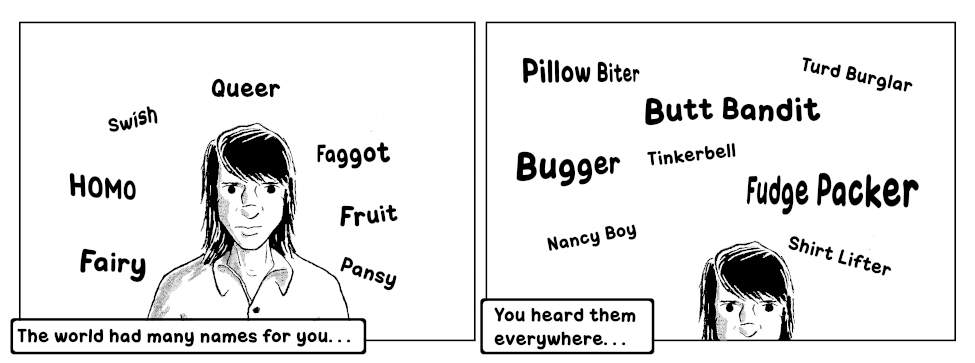
I was looking for a boyfriend. But it was 1971, and all I’d ever been taught about gay people is that we are trash.
How does a teenage boy, just coming of age in a world that constantly dumps this on them, try to find a boyfriend? I was a mess. We all were.
And when you told me that sex was like farting (“I know it sounds strange but think about it…it stinks for a little while and then it’s gone…”) I should have asked you if you ever considered that maybe you are ACE. Nothing wrong with that, I know a few of these and they’re good people, completely capable of being in love, they just don’t or rarely if ever feel any sexual desire. I am myself maybe a half step away from that, being what the kids these days call a Demisexual.
Hindsight…twenty-twenty…so on and so forth. I just wish we were still talking. There is so much for us to talk about. Mostly, I just hope you are safe, wherever you are. If it’s back in Germany, so much the better I guess. Nobody is safe here anymore. We’ve all been living in a state of trauma since 2016. I saw this in my Facebook news stream yesterday…
I think that’s right…that the country as a whole is done with him. But then there’s the rest of it…that it took three more horrible, nightmarish years to finally finish it, even after everyone including them knew it was over.
The two justices he and Mich McConnell stacked the supreme court with told him ‘no’ over his tariffs and the MAGA nutcases are freaking out. At least we know who the hard core fascists on the court are now: Thomas, Alito, and Kavanaugh. No surprises there I reckon. Someone, I forget who it was now, said the secret fear of tyrants and bullies is that most people really are decent deep down inside. MAGA will drag it out even knowing they’re finished, because they hate us for our humanity, and they want us to suffer for making them see everything a human can be that they are not. They burned down Germany, they’ll burn down the United States, just for the satisfaction of making us hurt. But we can win this thing eventually. If it wasn’t for the decent three-quarters of humanity there wouldn’t even be civilization. The worry is how much we all have to bleed to get there.
I hope you’re safe somewhere. Maybe I’ll live to see the end of this. I didn’t get a chance to tell you about my heart attack, or the Afib and the ablation. The ablation scared the heck out of me. They thread two wires into your beating heart, one to detect the rogue cells sending out incorrect beat signals, and the other to cauterize them. Before the procedure I made sure my brother knew where my will was, and had all my passwords and account numbers. But it went okay and the Afib is gone now.
Sometimes the trick is not to mind that you’re afraid. I wish I knew that back in high school.
I think I’ve over all that. Or just getting old. Whatever. This is not a day to be spoiling other people’s joy. Instead I’m going to try and cultivate some of my own. Or at any rate, at least some peace of mind.
Alas, the nice local upscale restaurant I would have treated myself to today, La Cuchara, has been closed for over a month now due to a fire in one of its kitchen vents. I’m really hoping they come back. It was expensive but worth every penny.
Probably do Wicked Sister’s. I love their crab cake dinner, and some of their house cocktails are pretty good.
Further Adventures In Rebuilding My Linux Machine.
(Please pardon my technobabble…)
I realized pretty quickly that I’d done a bad thing by not backing up my /home directory like I should have on the same weekly timeline as I back up the NAS and the art room Mac. But there was another piece of the puzzle that I needed to back up too apparently, and that was my /etc folder, because that had the fstab file in it which tells the system how to mount its drives. More specifically, how to mount my NAS. First thing I needed to accomplish in this rebuild is getting my NAS (that’s Network Attached Storage) mounted. That is where I keep my important data.
A further complication was I use a credential file during the mount process, rather than have the mount credentials written into the fstab file. I keep that credential file somewhere only root can access it. And to even further complicate things, I use an odd local IP address for the Router and its kingdom, not your usual 192.168.1.1 thing, and thereby also the NAS. I had backups of my home directory and the fstab file, but they were old and did not have my current IP addresses for mounting the NAS. So I didn’t have my current NAS credential file, And didn’t have the current fstab file which would have told me at least what IP addresses I was using locally.
Basically I was just keeping some of that stuff in grey cell memory, or worse, just lackadaisically letting the browser cache and password manager just pop the correct values into the address bar and the password field. At least I had the router password in my commercial password manager…but not its IP address, which I should have added to the notes about that login. So I was in a bit of a catch-22 position.
Being as when I have it in the docking station, my Linux machine is hard wired into the router network, I didn’t need its password to get logged onto my LAN, which I would if I tried to use the WiFi. The easy thing was just open a terminal and use ifconfig to see my address, and that should jog my memory as to the local ip address format I am currently using. Then I can log into my router and find the address of my NAS.
Hahahahahaha ifconfig has been Depreciated!
Okay…so ‘hostname -I’
At some point I reckon I need to start using the new and most wonderful new thing which is ‘ip’ and become familiar with all its wonderful arguments. Okay…irritated me aside, there was actually one that would have saved me a Lot of effort: ‘ip neigh’. This would have told me my address and that of the router and the NAS too. Yes, yes…Much better. But I am stubborn. After I finished with this I installed the depreciated network tools package to get ifconfig back. But at least now I know about ‘ip neigh’.
So now I have the router ip. So I go to its page and…I have no idea what my router’s page password is. Oh wait…at least I had that one in my commercial password manager and it actually does prepopulate the credential fields for me. So I log in and check the NAS address. Then I try to log into the NAS to verify its credentials…which I never put into the commercial password manager, and the old credential file does not have the current NAS password. So I couldn’t get in, which means I can’t regenerate the credential file and mount the NAS.
Apparently it was the browser password manager that was always filling that in, not the commercial password manager. So I never put it in there. Swell. But when I reinstalled chrome and logged into my google account that should have brought all the browser passwords over too, but chrome was not filling in the password field for the NAS and I freaked that maybe they’d all been blown away in the crash. In desperation I checked the google password manager and found it in there. Why it wasn’t automatically populating that field I have no idea, but first thing I did was create a login for the NAS in the commercial password manager and put the right credentials into it. I’d really rather the browser wasn’t doing passwords and this is why.
So now I had my NAS address and credentials. Now I could reestablish that credential file and add the fstab directive to mount my NAS. But instead of using the location specified in the most recent fstab file I’d backed up, I just winged it from memory…which by now I should know better than to do…and sure enough the location I had in grey cell memory wasn’t it. At some point I’d put it somewhere only root could get to it instead of just depending on its file access permissions and that it is a hidden dot file. Fine. I corrected that problem and finally, Finally, I had my NAS mounted and I had access to my data.
First item of work was establishing a weekly home directory backup to the NAS. I created a folder, ‘suse_home_current’ and created an rsync command string from the ones I had backed up for doing the weekly NAS to USB drive backups, and gave it an initial run. I’ve only just started to rebuild my SuSE machine and already the .cache/google folder was a monster, so I decided to exclude it. The nice thing about chrome is it resync’s a fresh install with all your plugins and stuff so I don’t think backing up the cache is really necessary. Next step is to create a back up for /etc, so I always have the current fstab and httpd.conf stuff and anything else I might need to recreate for the next time I have a system drive crash.
Because…yeah…I Knew this would happen sooner or later, I just didn’t think it would be such a big deal as long as I had my data in the NAS and the NAS is two RAID 1 mirrored drives and backed up with a rotating set of USB drives.
But…no. At some point I should probably just invest in a whole drive backup process for the Linux box, like I have for the Macs.
A classmate shared on his Facebook page something from a fellow traveler about how just the act of leaving the comfortable United States and going somewhere else. He begins his post with…
To the People Who Have Never Left Their Zip Code:
You Need to Come to Thailand. Not for a Holiday, but for an Intervention.
I look at my friends back in the West. Their lives are perfect. They have sub-floor heating. They have lanes for everything. Their biggest stress is if the Amazon package arrives late. And they are bored out of their minds.
You need to visit Thailand at least once before you die, just to remember you are alive.
His post is about getting Out Of Your Comfort Zone from time to time, and seeing that there is a world beyond our own borders, and that world is different in many ways.
I’ve only done it once in my life, and most likely never will again. But yes, definitely yes, and my beyond the borders awakening happened in Puerto Vallarta. I offered this comment to my classmate’s post…
This is sorta-kinda like what I experienced when some people I once knew took me to Puerto Vallarta some years ago. It was the first, and so far only time I’ve been outside the country.
We stayed at a bed and breakfast in the old cobblestone part of town. It was a lovely residence that was probably once a very well to do family’s hacienda with many nice rooms and a large open courtyard with flowering plants, fountains and a swimming pool. Powerlines hung within a foot or two from the second floor balconies and the landlord told us not to reach out and touch them or we’d be going back home in a wooden box. It had its own water filtration system but we were warned to use only the bottled water for things like brushing our teeth.
Outside on one of my walks I saw men working on repairing a set of steps leading to a back door. They had taken the electric meter off the side of a building across the street, stuck two metal tangs into its base and from those ran jumper cables across the street over to a power drill’s cord that only bare wire at the end, instead of a plug. Everywhere I looked in that old part of town I saw stunningly beautiful examples of old Mexican architecture that were lovingly well maintained, alongside of places that looked a little iffy. I eventually found myself always looking around to make sure I wasn’t getting too close to any live power lines.
The landlord told us the general rule on the streets was if a pedestrian gets hit it’s their fault. It wasn’t just a matter of paying attention to the traffic signs and lights. I saw one four way intersection that only had one approach controlled by a light, the other three were place your bets and take your chances.
The people were wonderful, friendly, and appreciated tourists who made an effort to communicate in their language. Arranging purchases and asking for directions turned out to be very easy. I quickly mastered several important language items such as “Please”, “Thank you”, “Which way to the bathroom”, and “No thank you I am not interested in buying a timeshare.”
On one of my walks I noticed I was getting a blister on my right heel, and started looking around for a place to buy a bandage. I wasn’t sure what they called a drug store in Mexico but I looked around, and eventually saw a very Very small storefront tucked in between much two larger ones with the word “farmacia” on the overhead sign and thought, close enough. When I got inside it was obviously what I was looking for, and I said simply “bandage?” to the man at the front counter, hoping to be understood. He just nodded and pointed, and what needed was there. Paying for things was easy since the ATMs dispensed local currency and accepted my American Express card, and calculating dollars to pesos just then simply meant moving the decimal point one over.
I would love to go back, but I have no one to travel with alas, and getting too old for it now anyway. But I have a lot of lovely memories of that place. Wish I’d done more of it now.
Yeah. I reckon I should have done more of that before I got so old. So it goes, so it went…
What better way to spend an 11 degree morning here in Charm City, than building a Linux machine on top of a Windows 11 machine. And doing it in such a way as I can use both operating systems without messing with a dual boot loader.
Last year I bought an LG Gram 17” laptop at Costco, when I saw one there at a good price. I was a few months into my part time return to the Institute, and while I liked the Macbook Pro they gave me to use (very nice, very powerful, Very Expensive), I felt I also needed a Windows machine too so I could use some of the Microsoft development tools I’d used there before. Before I retired I had both Windows and Mac laptops on my desk, side by side and used them both. Being that the Gram was my personal machine I could only connect it to the Guest network at the office, but that was okay for my purposes.
Over time I came to really like that LG Gram. It is thin, lightweight, has a very impressive battery life, and a really Really nice display. I came to despise Windows 11.
So I started wondering about making the Gram a Linux machine instead. Initial reports I saw were that it was difficult to impossible to do on a Gram because it had secure boot software in the bios that had to be worked around. (and why would you need to use anything besides Microsoft’s excellent operating system citizen?) But more recent posts had step by step instructions, and users who said the Gram was a pure delight to run Linux on, once you got it working.
Problem was, I occasionally needed a Windows machine at home and I didn’t want to have to buy another laptop just for that one purpose. An older Dell I had that was once a Windows 10 box began having hardware failures, fan won’t run, won’t charge its battery anymore, and I just need to take it to recycling. The Gram is the only Windows machine I have left. I ruled out dual booting Windows and Linux on the same machine from previous bad experiences with dual boot managers, plus all the work arounds I saw were needed to get dual boot to run on the Gram around secure boot. But I kept thinking about it. Digging into it more I saw that I could possibly create a bootable Linux drive on a USB stick, then when I wanted Linux I could plug that stick in, boot the Gram, hit F10 and select the stick as the boot drive, or just leave the drive unplugged and boot when I needed Windows.
I went about it badly at first. I ordered a 125 gig USB stick and wrote the SuSE Leap 15.6 Linux installer onto it, thinking that I could just tell it to partition the rest of the stick as the bootable Linux drive. But no. When the installer tried to write the boot partition information it could not, because the installer media had that partition locked down. So the first try failed.
I had another, smaller USB stick I’d brought back with all my files from my California adventure. I offloaded those to my NAS and then wrote the SuSE Leap installer to that stick. Now the plan was to boot from the smaller stick and tell the installer to put Linux on the bigger one, theoretically overwriting the SuSE installation media I had on it during partitioning. But both sticks came from the same vendor, Lexar, so when I hit F10 during boot they both displayed on the boot menu with the same drive name and I couldn’t tell which from which.
I took out the big stick, booted from the smaller stick, and when its installer was coming up put the big stick back in, hoping it would still detect it. It did. So now I put the plan into motion. I told the installer to use sdc and ignore sda and sdb. The Gram came partitioned with two 1tb logical drives on the SSD. I could see in the partition manager that came up that sdc was the large stick. I didn’t bother trying to partition sdc because I thought the installer would do that and get rid of everything that was there previously. That was a mistake.
The installation went along until it came to the point of writing out the boot manager, at which point it failed again. When it tried to write into it I saw an out of disk space error, that was probably just no I’m not letting you write a new boot entry here.
So I had to repartition the other stick to get the SuSE installer off it. I made that entire stick one big empty partition formatted as a Linux file system. Then I tried again.
This time it worked. The installer ran to completion without a problem, and the Gram rebooted into SuSE Leap 15.6. I was able to log in and poke around for a bit, shut down, remove the stick, start up and the Gram booted into Windows 11 as usual.
I haven’t set it up fully yet, but now I can boot into SuSE Leap 15.6 on the Gram with no trouble, just by plugging in that USB stick, hitting F10 when the Gram boots, and selecting that stick to boot into. When I need Windows I can just leave the stick out and let the Gram boot as usual.
This is good. The Gram will make an Excellent Linux travel machine. It is lightweight, has a lot of battery time, and a very nice large screen.
I have a Disney World vacation coming up first week in March that I’d hoped to make into a road trip, because the California train rides just made me long for the open road again, even if it was just I-95.
But the weather made me rethink it. My car is practically embedded in what they’re calling around here “snowcrete”. No kidding, it’s hard as concrete and not likely to get any easier to shovel until we get some warmer temperatures.
Then there is the mess the weather has been making of the roads in the Carolinas.
I can’t count on any of this getting any better by the time I have to leave for Florida. And I can’t just cancel that reservation and put it some other place on the calendar because it’s a DVC points reservation and they are nearly impossible to reschedule when you’re close to your DVC year end. I have a nice one bedroom villa reserved which gives me a full size complete kitchen and walking access to Disney Springs and I’m going. Plus, that first week in March has many special Disney memories for me.
And I am practically swimming an Amtrak points after that last set of trips to California and back. So I reserved a roomette on the Silver Meteor there and back on points alone. The only expense this incrues is I will need a rental car and and a rideshare to and from the car rental place, both of which will cost me less than the road trip there and back would have.
This gives me some peace of mind about being able to actually make it to Orlando. Be nice after the deep freeze we’re in here to spend at least a little time in that lovely warm Florida sunshine…
Oh…wait…
Official updates
From National Weather Service · Last updated 3 hours ago
EXTREME COLD WARNING REMAINS IN EFFECT FROM 7 PM THIS EVENING TO 10 AM EST MONDAY… …FREEZE WARNING REMAINS IN EFFECT FROM 7 PM THIS EVENING TO 10 AM EST MONDAY
* WHAT…For the Extreme Cold Warning, dangerously cold wind chills as low as 14 to 20 degrees expected. For the Freeze Warning, hard freezing temperatures as low as 22 to 27 degrees expected.
* WHERE…All counties in east central Florida, including Volusia,
Lake, Seminole, Orange, Brevard, Osceola, Indian River,
Okeechobee, Saint Lucie, and Martin.
This blog is powered by WordPress and is hosted at Winters Web Works, who also did some custom design work (Thanks!). Some embedded content was created with the help of The Gimp. I proof with Google Chrome on either Windows, Linux or MacOS depending on which machine I happen to be running at the time.